Phi Browser Screen Share Indicators
Phi treated every screen share as one state, so a tab being mirrored looked identical to one presenting. Chromium exposes those modes under separate capture flags; this PR threaded isBeingMirrored through Tab and TabViewModel, then surfaced it in the sidebar and content chrome.
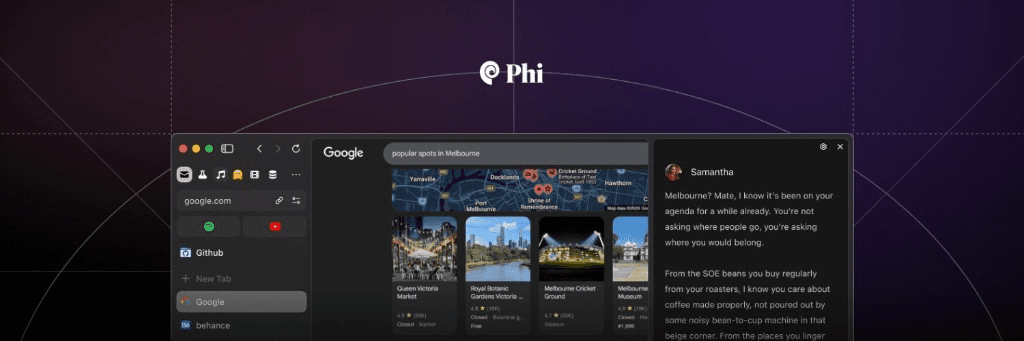
Open-source contribution that separates mirrored vs presenting screen-share states in Phi Browser so users can tell which tab is visible on a call.
Project Requirements
- Distinguish mic/camera capture from presenting vs being mirrored
- Yellow sidebar outline only on mirrored tabs
- Content-area border overlay for mirrored panes, including split view
- Accessibility strings and automated capture-badge tests
Overview
Phi treated every screen share as one state, so a tab being mirrored looked identical to one presenting. Chromium exposes those modes under separate capture flags; this PR threaded isBeingMirrored through Tab and TabViewModel, then surfaced it in the sidebar and content chrome.
The Challenge
Avoid guessing capture mode — depend on Chromium flags from a local Phi Framework build.
Keep indicators pane-accurate in split view without outlining the whole merged cell.
Leave red favicon dots for mic/camera only; yellow for remote mirroring.
Approach & Solution
Added Tab/TabViewModel state from capture flags, TabBeingSharedSidebarRowOutline for mirrored rows, ScreenShareMirroredBorderOverlayView for the web content (and per-pane in split), plus Localizable.xcstrings tooltips and TabCaptureBadgeSignalTests.

The Results
#268 merged — 7 commits, 14 files, +1,280 / −617
isCapturingMedia / isPresentingScreenShare / isBeingSharedRemotely
Yellow mirrored indicators in sidebar and content; red dot stays mic/cam
Merged into phibrowser-mac so Phi users can see which tab is being mirrored during screen share, without conflating it with the presenting Meet tab.
Let's work on your next project
Available for full-time and freelance work. Book a call and we'll ship with clarity and precision.